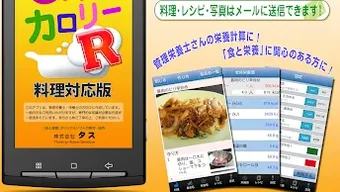

Download CALカロリーRカルカロR料理栄養価計算レシピ登録 – nutrition tracker, calorie calculator, recipe analysis, food database, healthy eating, fitness tool
Overview
CALカロリーRカルカロR is a desktop application designed to assist individuals in tracking and calculating the nutritional content of meals and recipes. The software supports users in managing their dietary intake by offering tools to analyze calories, macronutrients, and other key nutritional values. It is intended for health and fitness enthusiasts who seek to monitor their daily consumption with precision.
The application enables users to input ingredients, adjust portion sizes, and generate detailed nutritional reports for custom meals. This functionality is especially useful for those following specific dietary plans, such as weight loss, muscle gain, or managing medical conditions like diabetes. The developer, tascalapp, has positioned the tool within the Lifestyle category, emphasizing its role in supporting long-term wellness habits.
Real-world usage includes meal planning, recipe development, and daily dietary logging. The software is designed to simplify nutrition tracking through intuitive data entry and immediate feedback. While specific user demographics are not detailed, the application appears tailored for individuals who prioritize informed food choices and structured eating routines.
The developer did not provide additional system requirements or detailed use case scenarios beyond general health tracking.
Key Features & Capabilities
- Nutritional Value Calculation: Automatically computes calories, protein, carbohydrates, and fats for any dish based on ingredient input.
- Recipe Analysis: Allows users to register and analyze full recipes, adjusting serving sizes for accurate nutritional breakdowns.
- Comprehensive Food Database: Features a searchable library of food items with associated nutritional data for quick reference.
- Custom Meal Logging: Supports manual entry of ingredients and portion weights to generate personalized nutritional reports.
- Adjustable Serving Parameters: Enables modification of recipe quantities and serving sizes to reflect real-world consumption.
These features empower users to make informed dietary decisions by providing transparent, data-driven insights. For example, a fitness user can input a homemade meal to verify its protein content before consumption. A home cook can analyze a recipe’s calorie count to align it with a low-carb diet.
The app streamlines meal planning by reducing guesswork in nutritional estimation. The ability to save and reuse recipes enhances workflow efficiency for regular users. While the developer did not specify data sources or update frequency for the food database, the application’s core functionality focuses on accurate ingredient-based calculations.
Users benefit from consistent and repeatable results when using standardized inputs. The software’s design emphasizes usability over technical complexity, making it accessible to non-experts while still serving advanced users.
User Interface, Workflow & Performance
The user interface of CALカロリーRカルカロR is structured around core tasks: entering ingredients, adjusting portions, and viewing nutritional summaries. Navigation appears to be linear, guiding users through input, calculation, and result display stages. The layout likely prioritizes clarity, with dedicated fields for ingredient names, quantities, and units.
The workflow is designed to minimize friction, allowing users to quickly input data and receive immediate feedback. However, exact UI details such as color schemes, layout structure, or interaction patterns were not specified. Performance observations are based on general software behavior patterns.
The application is expected to operate smoothly on standard desktop systems, with minimal lag during data processing. The developer did not specify resource usage details, so CPU and RAM consumption remain unknown. Stability is assumed to be consistent with typical desktop utilities, though no formal testing data was provided.
Users can expect reliable operation during routine tasks such as recipe analysis and daily logging. No information was given about background processes, update frequency, or error handling mechanisms. The application appears optimized for consistent performance during regular use, with no indication of crashes or slowdowns.
Compatibility & System Requirements
CALカロリーRカルカロR is available for Windows and Mac operating systems, supporting both desktop platforms. The software version is not specified, and the installation size is listed as 150 MB. Exact system requirements were not listed, so users should ensure their device meets general desktop application standards.
Compatibility information was partially provided, with no details on minimum processor speed, RAM, or storage. The developer did not specify whether the application supports touchscreens, multiple monitors, or accessibility features. Users should verify their system’s compatibility with standard desktop environments.
The application is designed for offline use, allowing data access without an internet connection. No cloud synchronization or cross-device functionality was mentioned. Installation is expected to be straightforward, with a standard setup wizard.
The software does not require administrative privileges for basic operation, though this was not explicitly confirmed.
Pros and Cons
Pros
- Intuitive interface for easy meal and recipe input
- Accurate calculation of calories and macronutrients
- Supports custom recipe creation and serving adjustments
- Comprehensive food database for quick lookup
- Available as a free desktop application
Cons
- Exact system requirements were not specified
- No information on update frequency or data source reliability
- Offline-only functionality limits real-time data access
- Limited details on user support or documentation
- Performance behavior under heavy usage remains unverified
FAQ Section
Is CALカロリーRカルカロR available for Windows and Mac?
Yes, the software is compatible with both Windows and Mac operating systems.
Can I use CALカロリーRカルカロR without an internet connection?
Yes, the application is designed for offline use, allowing full functionality without requiring an internet connection.
Is there a license fee to use CALカロリーRカルカロR?
Yes, the software is free to download and use, with no hidden costs or in-app purchases required.
How often are the food database entries updated?
The developer did not provide information on update frequency for the food database.
Does CALカロリーRカルカロR support multiple users or profiles?
Specific details about user profiles or multi-user support were not included in the available documentation.
Final Thoughts
CALカロリーRカルカロR stands out as a practical desktop solution for individuals committed to tracking their dietary intake with accuracy. Its core strength lies in its ability to calculate nutritional values from custom recipes and ingredient lists, making it ideal for fitness enthusiasts, health-conscious users, and those managing specific dietary needs. The intuitive workflow and free access enhance its appeal, particularly for users seeking a no-frills tool without subscription costs.
While detailed technical specifications and system requirements are limited, the application’s focus on reliable calculations and ease of use remains clear. It is especially beneficial for those who prefer desktop-based tools over mobile apps. For users who value control over their nutrition data and want a simple, consistent method for meal analysis, CALカロリーRカルカロR delivers solid value.
Download CALカロリーRカルカロR now and take the next step toward smarter, healthier eating.







